A gentle week planner for iPhone and Android

Tell Cadie your chores. Get a week that actually fits.

Pour out everything on your mind. Cadie asks a couple of things, then lays out a calm week around your work and sleep. You just stamp it done.

  • Coming sooniPhone
  • Coming soonAndroid

Free to start · No account · Your week stays on your phone

Try it: tell Cadie your week

Tap a few chips or type your own, then press Plan my week.

A quick preview. The app plans around your work, sleep and answers.

Sound familiar?

From Sunday-night spiral to a week you can see

  • I have ADHD
  • New baby, no routine
  • First place on my own
  • Exams and laundry
  • I forget chores
Sunday, 9:40pm, in your head

Everything at once and nothing on a day. You lie awake doing the maths.

Monday, with Cadie
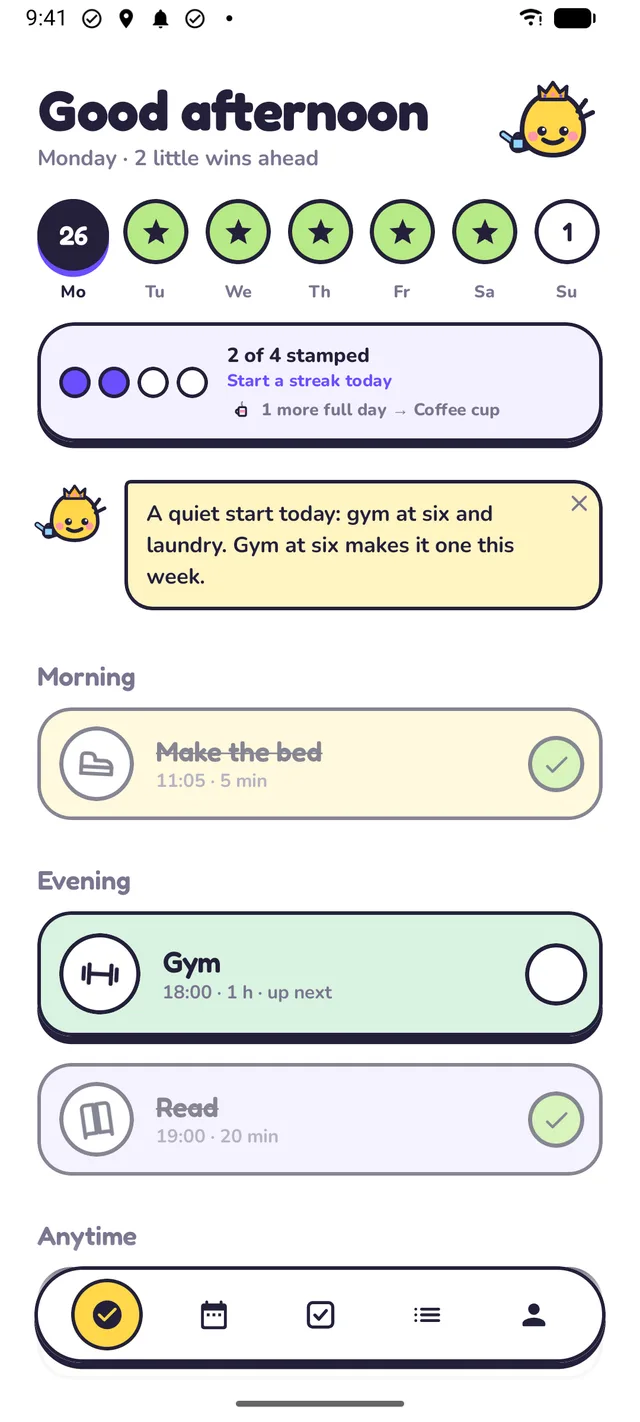
Cadie's Today screen: Good morning, a row of day stamps, 1 of 3 stamped, Cadie's morning note, and today's tasks as sticker cards.

Each thing on a day, at a time that fits. Today shows just today. Tap to stamp.

How it works

A messy list in, a calm week out

About a minute, start to finish. No templates, no colour-coding.

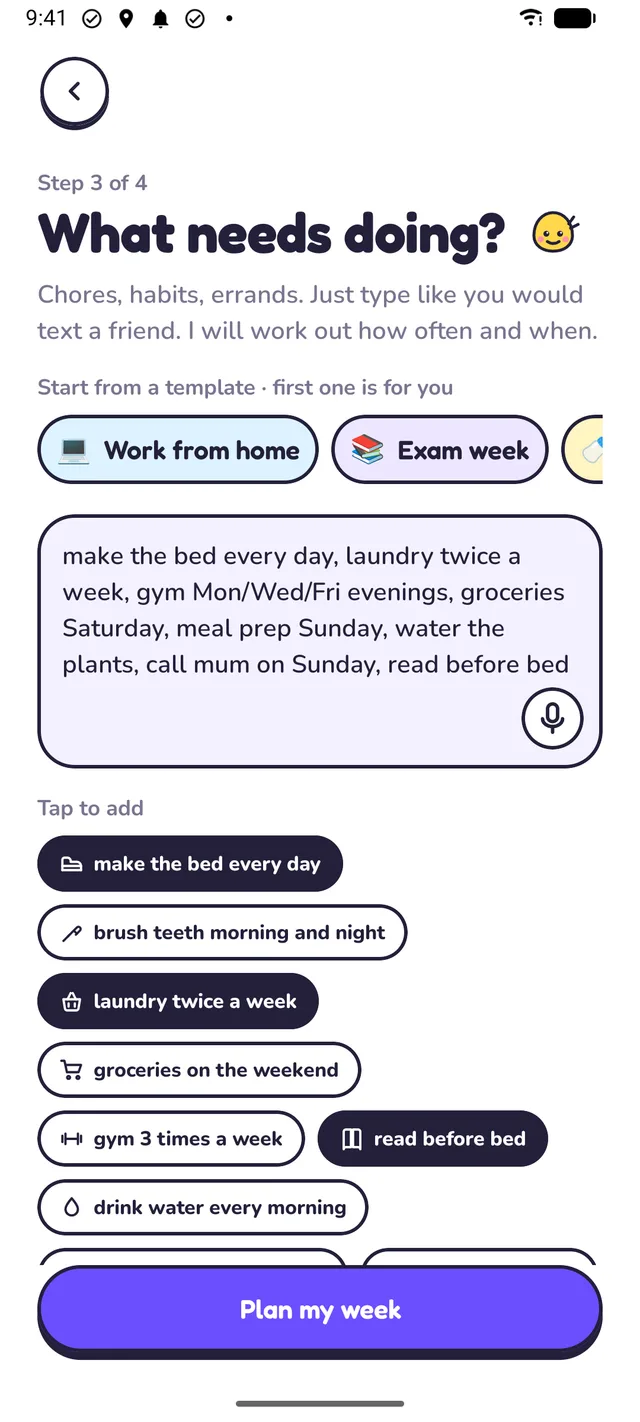
  1. The brain dump screen: “What needs doing?” with laundry, grocery shopping, meal prep and gym typed in, and a Plan my week button.

    Empty your head

    Type it or say it, the way you'd text a friend: laundry, groceries on the weekend, gym three times, call Mum. No forms.

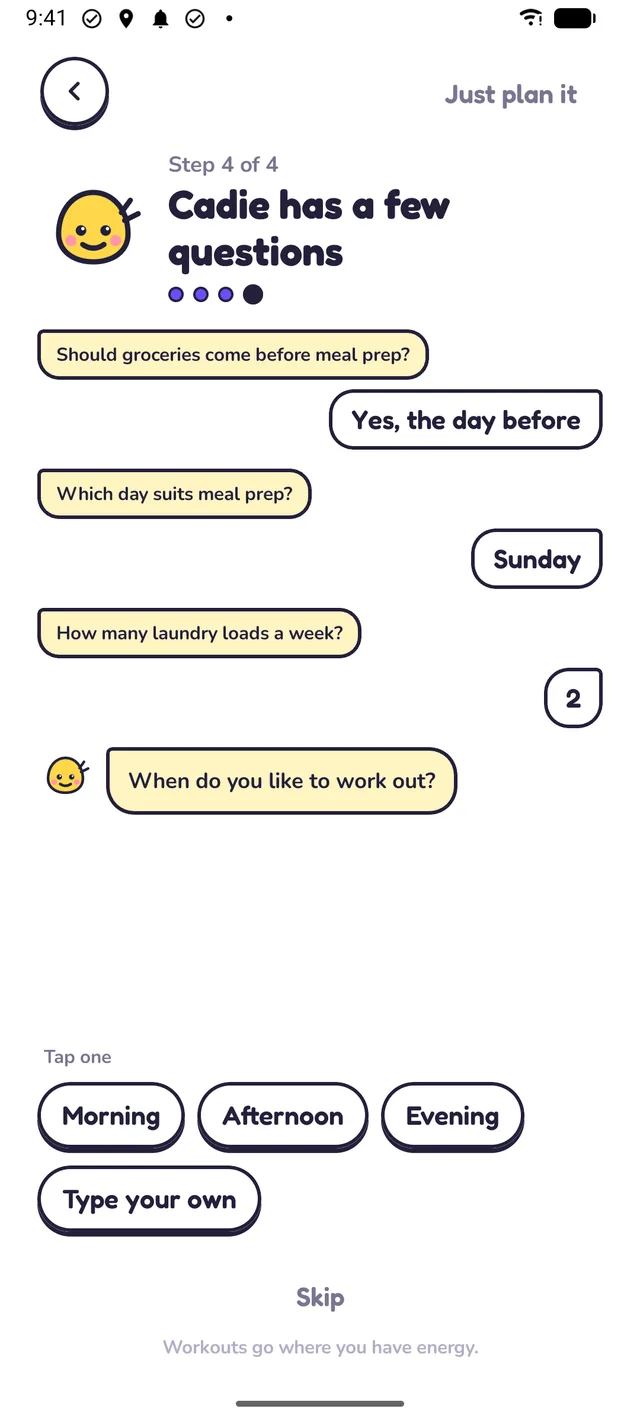
  2. Cadie asks “When do you like to hit the gym?” with Morning, Afternoon and Evening chips.

    Cadie asks a couple of things

    Only what would change the plan, like when you like the gym. A tap answers. Sometimes she has no questions at all.

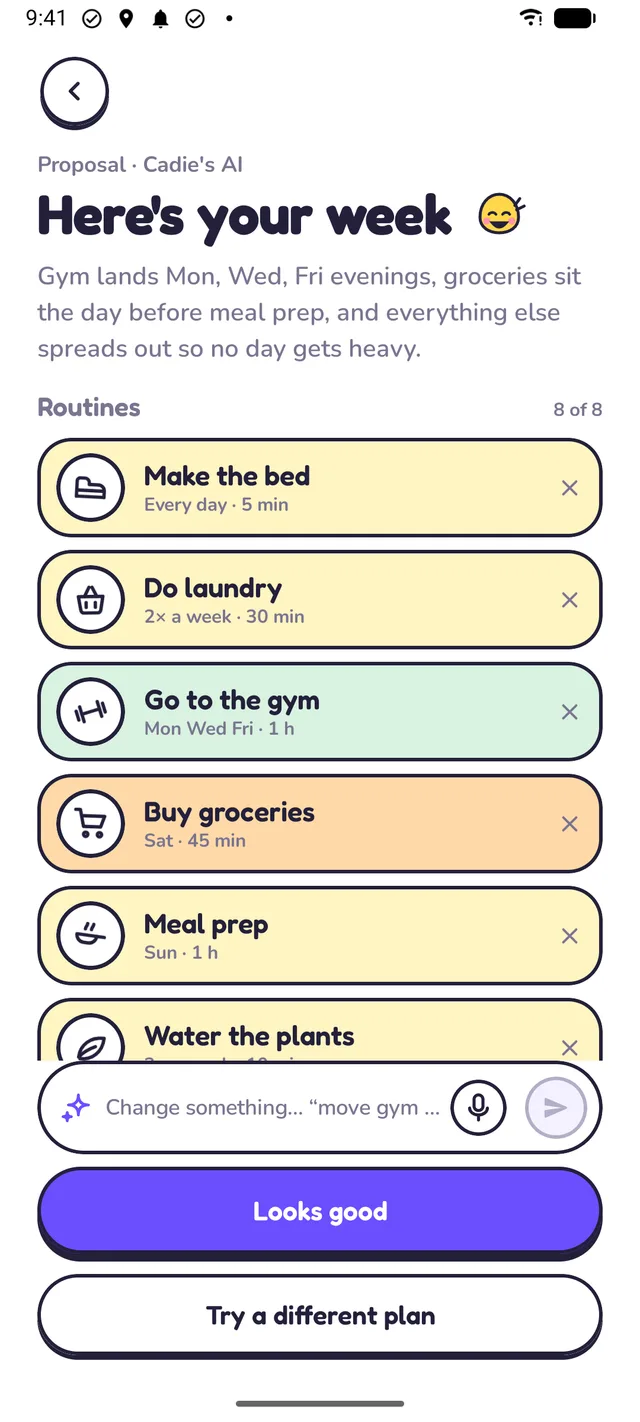
  3. Here's your week: laundry once a week, groceries Saturday, meal prep Sunday, gym three times, with Looks good and Try a different plan buttons.

    Your week, in seconds

    Everything on a day, around your work and sleep, nothing piled up. Change anything in words, then say “Looks good”.

No forms, I promise. Just tell me what's on your mind.

Everything your week needs

Gentle tools for real weeks

Days slip. Plans change. Cadie bends with you instead of making you start over.

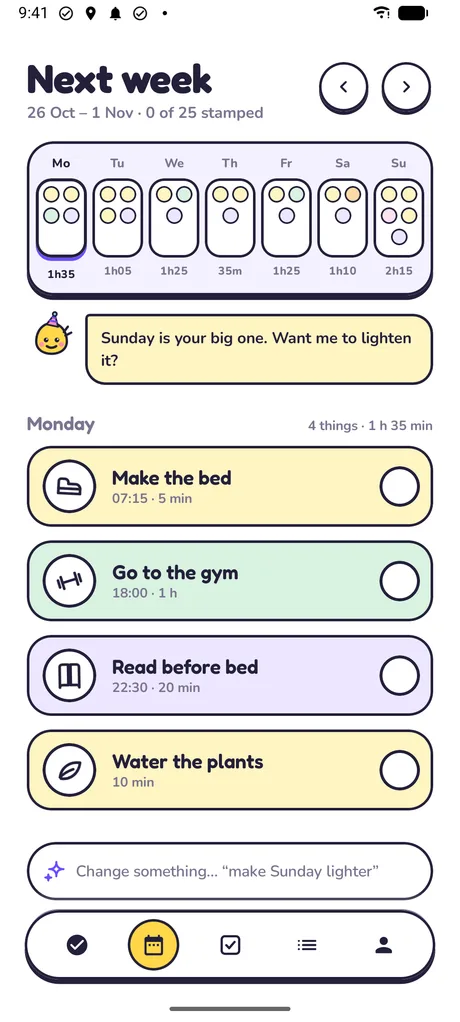
The Week screen: seven day pockets, six of them green with a star, 27 of 29 stamped, and Cadie asking if Sunday should be lighter.

See the week breathe

Every day is a pocket of little sticker dots. Fully stamped days turn green with a star. When a day looks heavy, Cadie offers to lighten it.

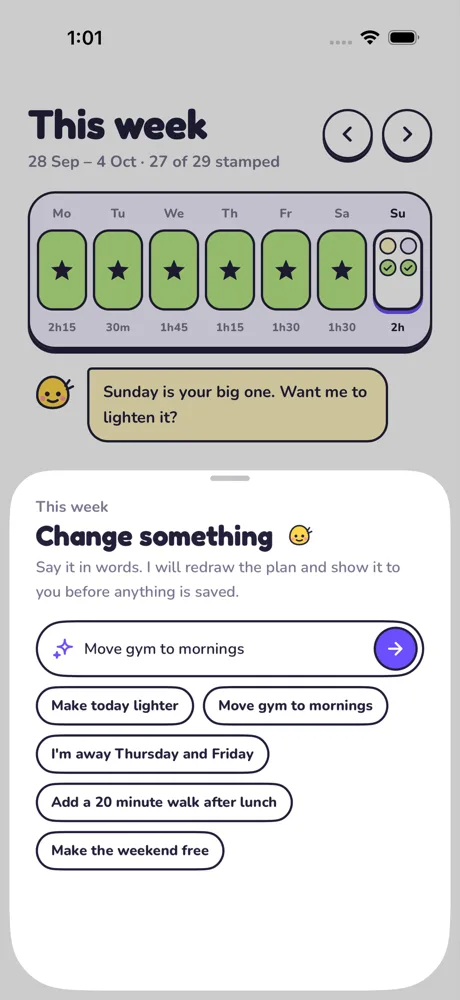
Change something: a text field reading “Move gym to mornings” with suggestions like Make today lighter and I'm away Thursday and Friday.

Say it, and it's changed

Type what you want in plain words. Cadie changes only what you asked and shows you the new week before anything is saved.

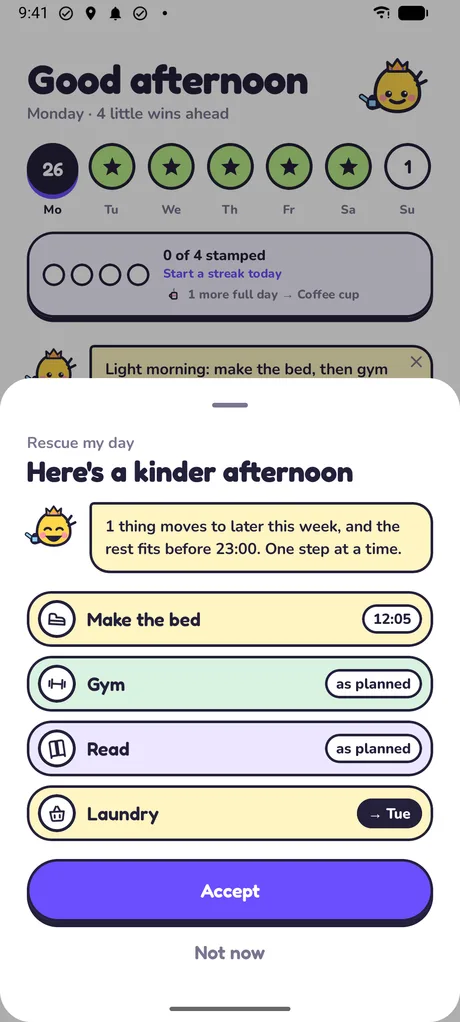
Rescue my day: “Here's a kinder evening”, with tonight's tasks moved to later times and an Accept button.

A kinder evening when the day runs away

After noon, if you're behind, Cadie offers to rescue the rest of today: what still fits stays, the rest moves to calmer days.

  • Today, one tap at a time

    Tap a sticker to stamp it done. A soft pop, a little slap, on to the next. Cadie leaves a short morning note.

  • The whole week at a glance

    Seven little pockets, one per day. Full days turn green with a star. You can see the week breathe.

  • Change it in words

    “Move the gym to mornings.” “I'm away Thursday.” Cadie redraws the week and shows you before anything is saved.

  • Running behind? Rescue my day

    Cadie moves what's left to calmer days and keeps what matters tonight. No shame, just a kinder evening.

    One a week free, 10 a week with Pro
  • Gentle reminders

    A nudge when it's time, with a Done button right in the notification. Never a guilt trip.

  • To-dos on the side

    Renew the passport, return library books. One-off tasks get their own list and reminders, away from your routine.

  • Checklists inside chores

    Groceries holds the shopping list, packing holds the packing list. Tick lines off as you go; Pro drafts them for you.

  • A look back each week

    Your best and hardest days and what slipped. With Pro, Cadie writes a review with changes to try next week.

  • Focus on one thing

    Start a focus timer from any task. Cadie keeps you company until it's done.

Meet Cadie

A little friend who's on your side

She plans with you, cheers you on and says goodnight. She never nags and never makes you feel behind.

  • Says hello
  • Leaves a morning note
  • Beams at a full day
  • Throws a party for a full week
  • Says goodnight

Stamp it done. Earn a sticker. Dress up Cadie.

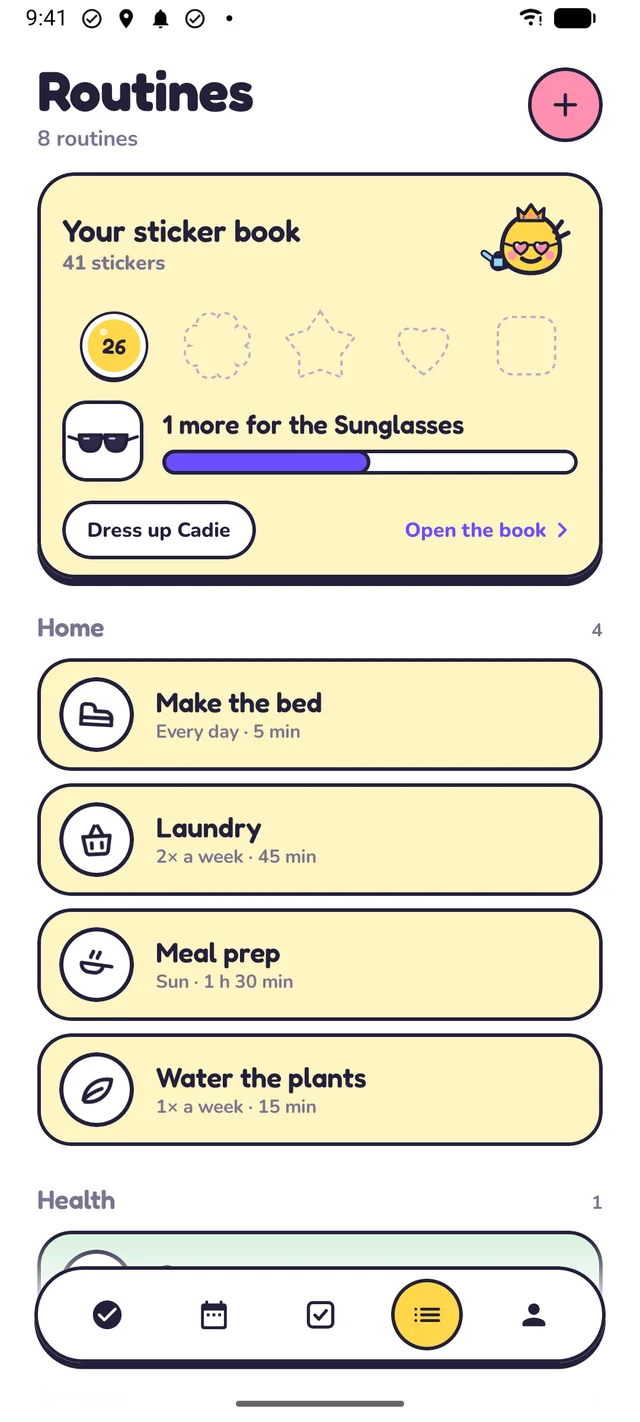
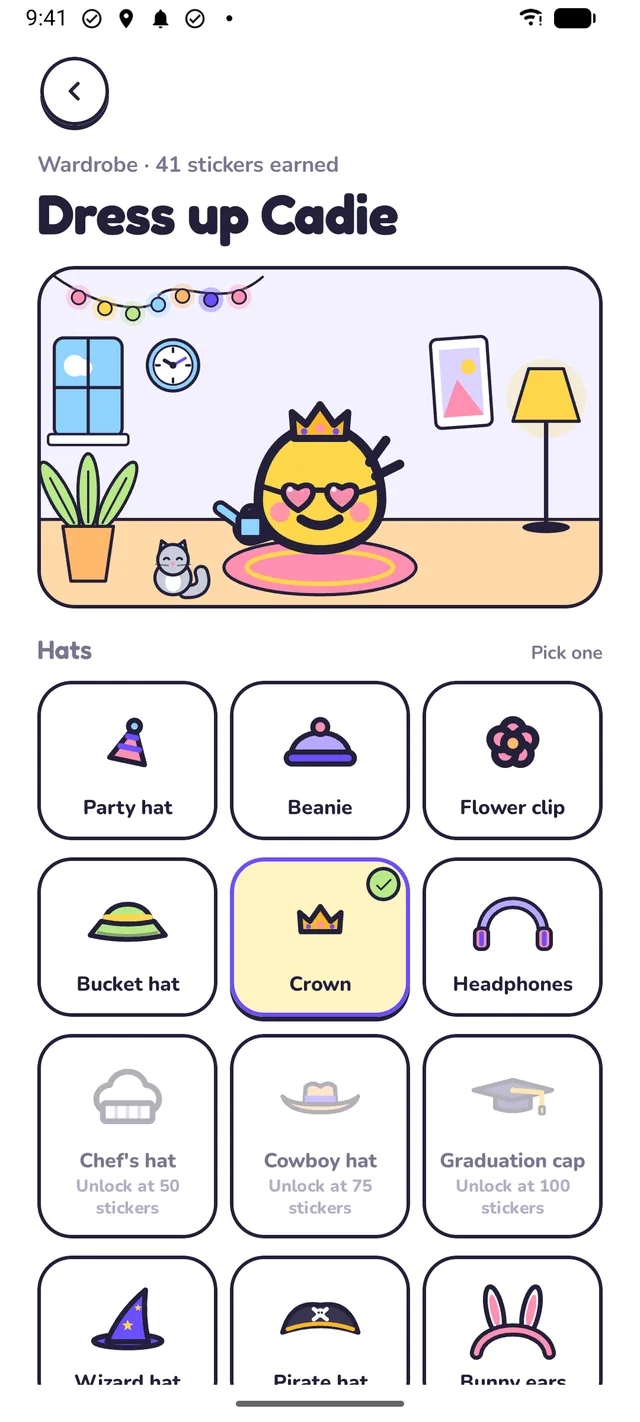
Every fully stamped day earns a sticker, shaped by the weekday and coloured by what filled it. Stickers unlock hats, things to hold and decorations for Cadie's room, and she wears her outfit everywhere.

  • Party hat at 3 stickers, beanie at 7, a crown at 30
  • A whole week stamped gets a bigger celebration
  • Cowboy hats, sunglasses, a cat for her room, and plenty more
Your sticker book: 25 stickers in different shapes, 3 more for the Fish bowl, and a Dress up Cadie button.
Dress up Cadie: Cadie in a cowboy hat and sunglasses, holding an umbrella, with a cat and a window in her room, above a grid of hats to choose from.

To-dos

The one-off stuff gets its own list

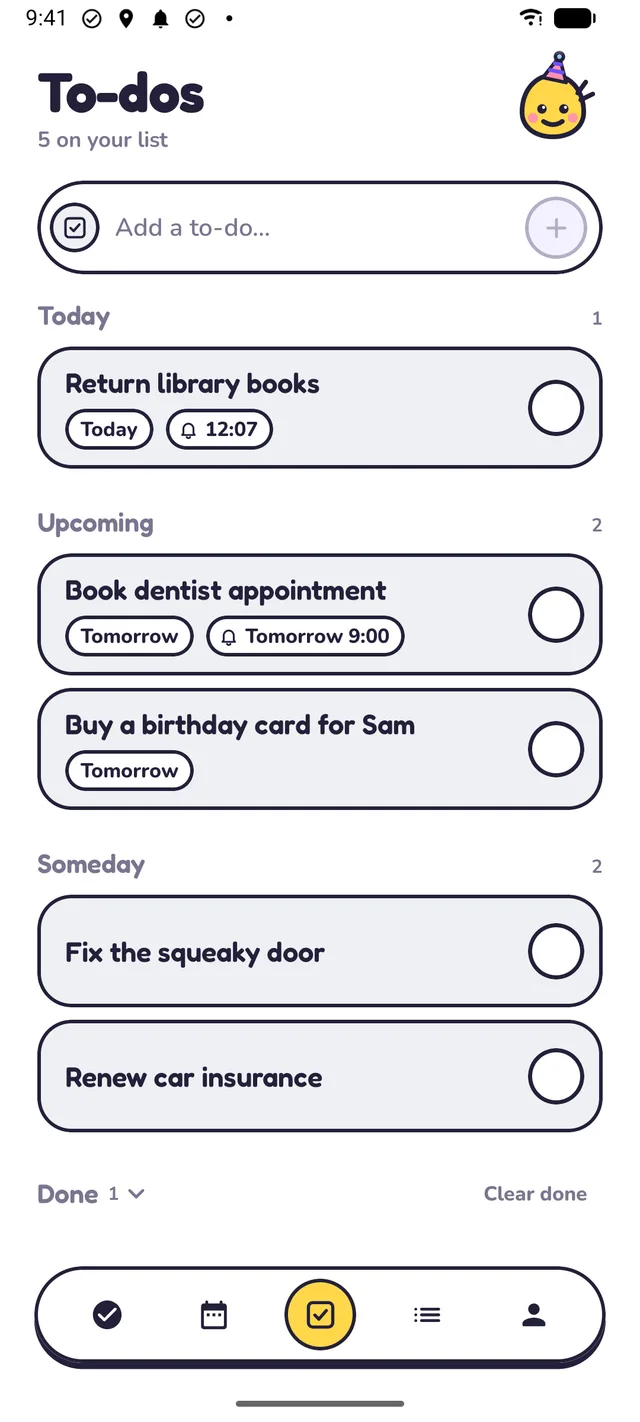
Renew the passport. Book the dentist. To-dos stay out of your routine, so your week stays calm. Give one a date and a reminder, tick it off, and it files itself away.

  • Overdue, Today, Upcoming and Someday, sorted for you
  • Reminders with Done and In 1 hour right in the notification
  • Never red, never a count of days late
The To-dos list: Overdue, Today and Upcoming sections with cards like Return library books, Renew passport and Pick up dry cleaning.

Outside the app

Your day, right where you look

Stamp from the home screen. Keep a focus timer on the Lock Screen. Glance, tap, done.

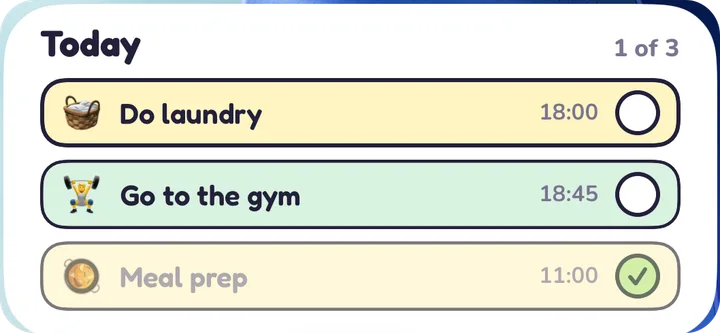
The Today widget on an iPhone home screen: Do laundry, Go to the gym and Meal prep, 1 of 3 done.
Home-screen widget on iPhone and Android. Tap a row to stamp it.
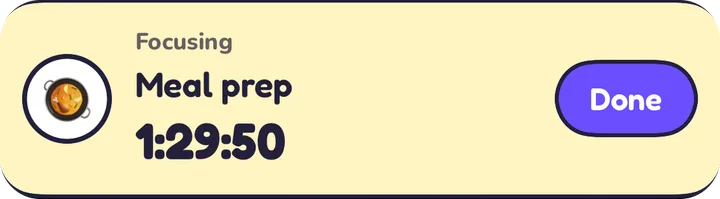
A Live Activity on the iPhone Lock Screen: Focusing, Meal prep, a countdown and a Done button.
Live Activity on iPhone. Your focus timer on the Lock Screen and in the Dynamic Island.

Quick Settings tile on Android shows what's next; tap to stamp it. On iPhone, a Control Center control does the same.

Why not just use…

Something you already have?

You could. Here's what's different.

  • …a blank planner?

    The usualHands you an empty grid. Every Sunday, the planning is your job.

    With CadieCadie fills the week in from one brain dump, and redraws it when life moves.

  • …a to-do list?

    The usualGrows and grows, with no days on it. Everything feels due right now.

    With CadieEach chore gets a day and a time, and comes back on its own rhythm.

  • …a habit tracker?

    The usualCounts daily streaks. Chores that happen twice a week don't fit, and a missed day can feel like failing.

    With CadieAny rhythm, daily to once a week, and one missed day in seven is frozen.

Worries, answered

The questions people ask first

  • Is my week private?

    There's no account to make: no sign-up, no email. Your routines, plans and to-dos live on your phone. AI plans pass through our server to be written and aren't kept. No ads, no trackers. Privacy policy

  • What if I miss a day?

    Nothing bad. Cadie never scolds. One missed day in any seven is frozen, so your streak holds, and Rescue my day moves what's left to calmer days.

  • Will I actually stick with it?

    Cadie keeps every day light, because a small plan is one you can keep. Stamping is one tap, every full day earns a sticker, and stickers dress up Cadie.

  • What does it cost? Can I cancel?

    Planning your week, reminders, the widget and the sticker book are free. Pro is $49.99 a year ($4.17/mo) with a 7-day free trial, or $7.99 a month. Cancel any time in your store's subscriptions.

Pricing

Free for your week. Pro for the extras.

No ads, no countdowns. Cancel any time in your store's subscription settings.

Free

$0

No account, no card

Everything you need for a calm week.

What you get:

  • Plan your week from a brain dump
  • Today and Week, with one-tap stamping
  • Reminders and Cadie's morning note
  • Home-screen widget
  • Sticker book, and outfits you earn with stickers
  • To-dos with reminders
  • 1 AI-planned week to try Cadie, then the built-in planner, always free

Free for good. The built-in planner never needs a key or a connection.

Pro Monthly

$7.99/ month

Cancel any time

All of Cadie Pro, billed monthly.

Everything in Free, plus:

  • 15 AI plans a week, changes in words included
  • Cadie's rescue, 10 a week
  • Smart checklists Cadie drafts for you, 20 a week
  • Cadie's full wardrobe: every hat, prop and room decoration
  • Cadie's written weekly review

No free trial on monthly. Cancel in your store's subscription settings and keep Pro to the end of the month.

Pro Yearly

$49.99/ year

7-day free trialSave 48%

All of Cadie Pro, billed once a year.

Everything in Pro Monthly, and:

  • 7 days free before you pay anything
  • Works out at $4.17 a month, billed once a year
  • Cadie reminds you before the trial ends

The free trial comes with the yearly plan only. Cadie reminds you before it ends; cancel before day 7 and you pay nothing.

Prices may vary by country; the store shows your price.

Questions

Good questions

Is Cadie free?

Yes. Planning your week, Today and Week, stamping, reminders, Cadie's morning note, the widget, the sticker book and to-dos are free. You get 1 AI-planned week to try Cadie, and the built-in planner keeps working after that, on your phone, for free. Cadie Pro adds 15 AI plans a week, Cadie's rescue (10 a week), smart checklists (20 a week), her written weekly review and Cadie's full wardrobe.

Do I need an account?

No. There is no sign-up, no login and no email. Open the app and start telling Cadie what needs doing.

Where does my week live?

On your phone. Your routines, plans, to-dos and what Cadie remembers are stored on the device. When you set up a new phone from a backup (iCloud backup or Quick Start on iPhone, Android's own backup on Android), they come along.

What happens to my list when Cadie plans with AI?

Your list and Cadie's questions go to our server, which passes them to an AI model to write the plan and sends it back. We don't keep what you wrote; the server only counts how many AI plans you have used. If you'd rather nothing leaves your phone, the built-in planner works fully offline.

What if I miss a day?

Nothing bad. Cadie never scolds. One missed day in any seven is frozen, so your streak holds. If a day runs away from you, Rescue my day moves what's left to calmer days.

Is it made for ADHD?

Cadie is made for anyone whose week lives in their head, and many of the choices (one brain dump, a couple of questions, one-tap stamping, no guilt) came from thinking about ADHD brains. It is a planner, not a medical or treatment app.

How does the free trial work?

The yearly plan starts with 7 days free. Cadie reminds you before the trial ends. Cancel in your App Store or Google Play subscriptions before day 7 and you pay nothing. The monthly plan has no trial.

How do I cancel Pro?

Pro is a regular App Store or Google Play subscription, so you cancel it there, in your subscription settings. You keep Pro until the end of the period you paid for.

Can I switch between monthly and yearly?

Yes. Change plans in your App Store or Google Play subscription settings; the store handles the switch and any credit for the time left. Cadie Pro stays on throughout.

What happens when I reach a Pro limit?

Nothing stops. Pro's AI features have weekly fair-use caps (15 AI plans, 10 rescues, 20 checklist drafts), which reset every Monday. At a cap, the built-in planner, Cadie's rule-based rescue and her own checklist templates carry on until the week turns, and you are never asked to pay more.

How do I delete my data?

In the app: Settings, then Data, then Delete my data. It erases everything on the phone and, if you used AI plans, the anonymous ID and usage count on our server.

When can I get it?

Cadie is coming soon to the App Store and Google Play.

Your calm week is one brain dump away.

Tell Cadie what's on your mind. She'll take it from there.

  • Coming sooniPhone
  • Coming soonAndroid